Content does not specify landmarks for major regions
What is the problem?
Like headings, aria landmarks aid in structural navigation and understanding. All content should be defined within a landmark to further explain its role.
Regions of the page are not exposed to assistive technologies
The best process is to include semantic HTML5 landmarks. As an additional step to ensure that older assistive technologies are able to recognize the information you should consider adding the equivalent role attribute for each area of. the page.
| HTML 5 | ARIA Role |
|---|---|
| N/A | role="appliation" |
<article> | role="article" 1 |
<header> | role="banner" |
<aside> | role="complementary" |
<footer> | role="contentinfo" |
<form> | role="form" |
<main> | role="main" |
<nav> | role="navigation" |
<section> | role="region" 1 |
| N/A | role="search" |
All content should be within a landmark. Which landmark region depends on the content.
Use aria landmark regions
Best Practices
- Use only one banner, main, and contentinfo landmark per page for clarity.
- navigation, complementary, and region can appear multiple times but should each have a unique accessible name (aria-label or aria-labelledby).
- Always prefer the semantic HTML5 element first; ARIA landmarks are helpful for fallback support or when you can’t use semantic elements.
- Screen reader users rely on landmarks for quick navigation—too few means poor navigation, too many can be confusing!
Application
The attribute role="application" should be used extremely sparingly, because it fundamentally changes how assistive technologies interpret everything inside the element.
When an element is given role="application", screen readers switch from their “browse mode” (where arrow keys and shortcuts navigate by headings, links, and landmarks) to an “interaction mode”, treating the content like a native desktop app.
Use role="application" only for highly interactive, custom widgets that truly cannot be built with standard HTML semantics, ARIA roles, and patterns. This might include: • Complex maps (e.g., Google Maps) • Interactive games • Dynamic seat selectors, drawing tools, or calculators
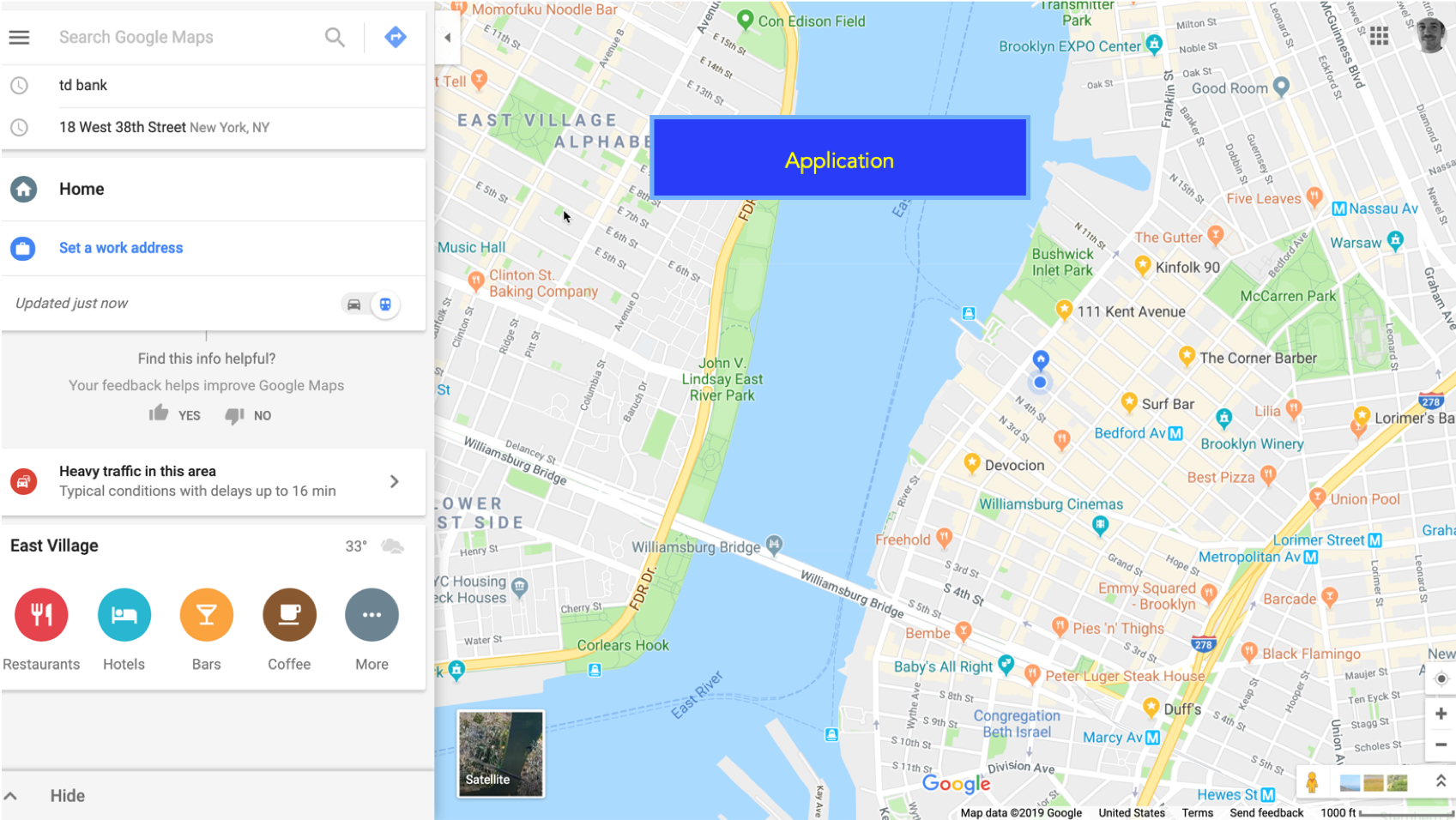
Below are some links that might help understand this a little better:
- MDN Plus article ARIA: application role
- Marco’s Accessibility Blog - If you use the WAI-ARIA role “application”, please do so wisely!
- The A11y Project - Use role=’application’
Article
Not an ARIA landmark, but added in HTML5 as a self-contained element.
Use <article> for content that can stand alone and be syndicated or reused (for example, blog posts or news stories).
Best practice: Combine with clear headings and semantic structure rather than adding a redundant role="article". The WAI page Using HTML5 article element previously suggested pairing <article> with role="contentinfo" and aria-label, but current guidance recommends relying on semantic HTML and headings.
Banner
Defines site-oriented content at the top of a page, such as a logo, branding, or global navigation.
There can be only one banner landmark per page, and it should be a direct child of <body>.
Use the <header> element to provide this landmark natively.
Complementary
Represents supporting content related to the main content but meaningful on its own.
It should be at the same DOM level as main.
Multiple complementary regions are fine, but each must have a unique accessible name using aria-label or aria-labelledby.
Example:
<aside role="complementary" aria-label="Related Stories">
  ...
</aside>
Contentinfo
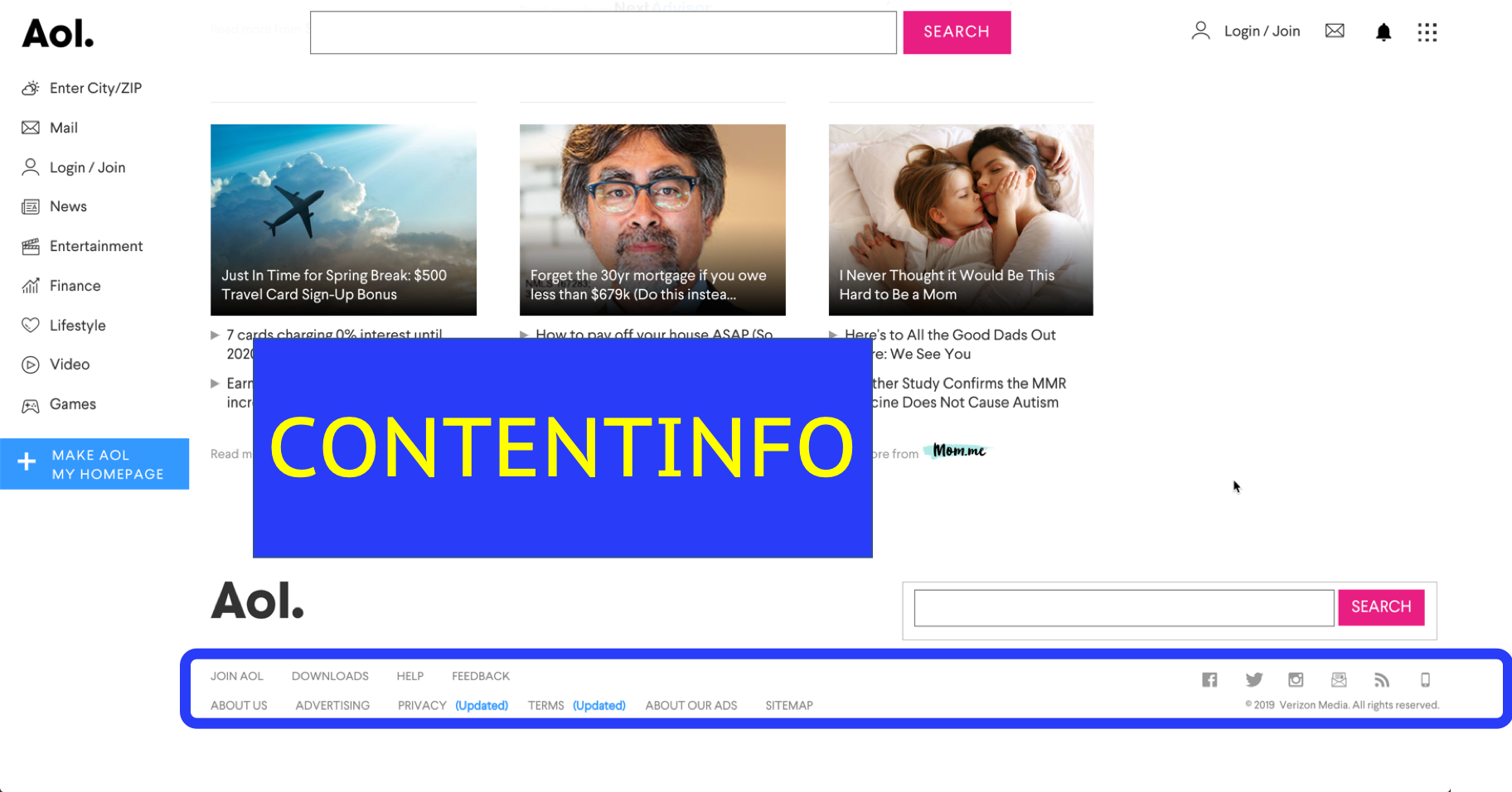
Typically used for the page or site footer.
There can be only one contentinfo landmark per page, which identifies site-wide information such as copyright, privacy, or contact details.
Use <footer> as a direct child of <body> for native landmark support.
Form
Defines a region with form controls that are submitted together.
If a page has multiple forms, each role="form" region must have a unique accessible name.
Prefer native <form> semantics first.
Main — REQUIRED
Every page, document, or application must have one main landmark that identifies the unique primary content of the page.
Use the <main> element for native support.
If there is more than one main landmark (which is rare), each must have a unique accessible name.
Navigation
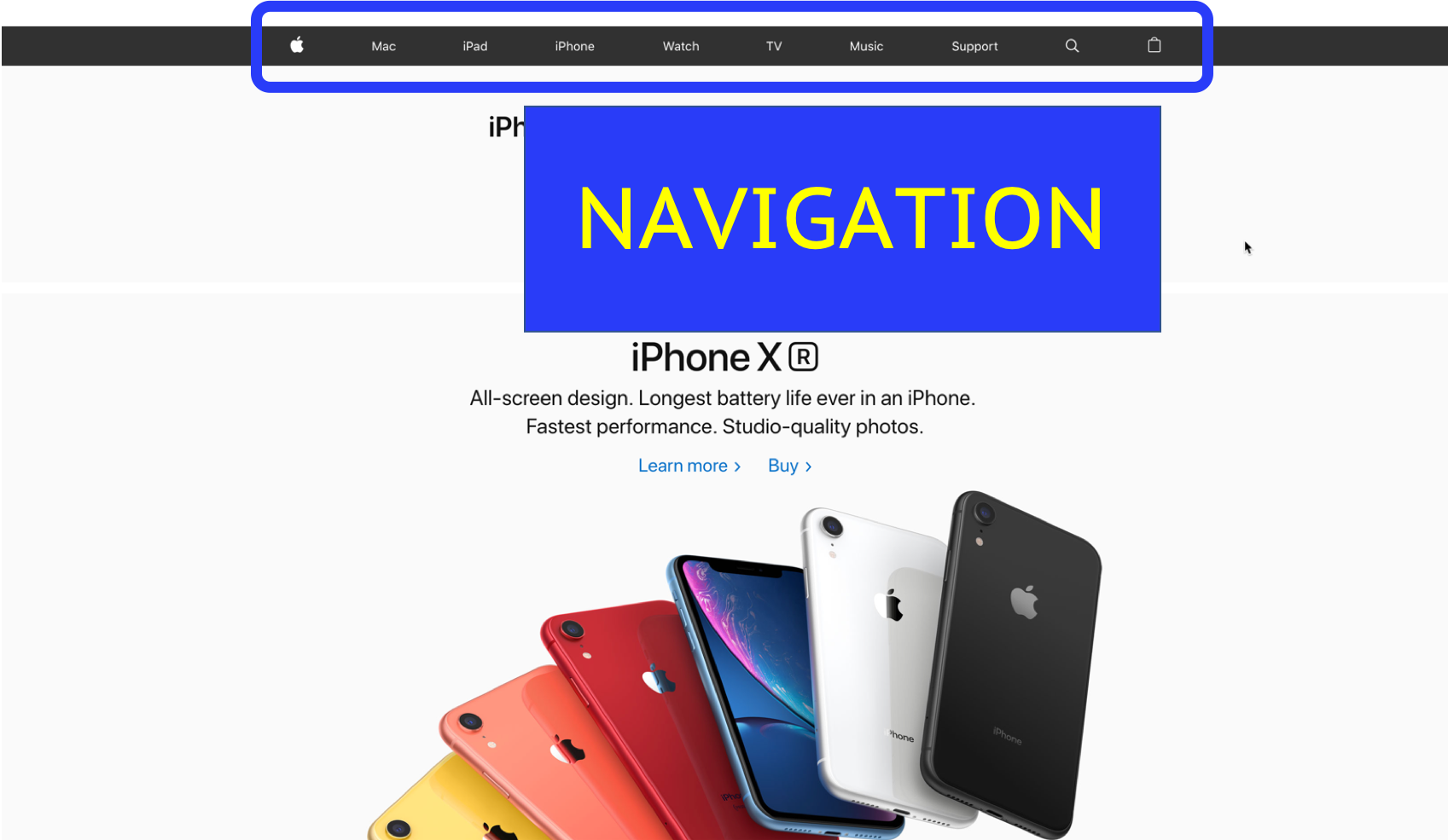
Identifies blocks of major navigational links.
There can be multiple navigation landmarks on a page, but each must have a unique accessible name if more than one exists.
Use the <nav> element to define this landmark natively.
Region
Represents a significant area of the page to aid discoverability and skip navigation.
Use role="region" only when the section is important enough for quick access.
A region must have an accessible name using aria-label or aria-labelledby.
Often used with <section>.
ARIA20: Using the region role to identify a region of the page
Search
Identifies site-specific search functionality.
Use role="search" or <form role="search"> and provide clear labeling.
ARIA11: Using ARIA landmarks to identify regions of a page
ARIA13: Using aria-labelledby to name regions and landmarks